

No audio available for this content.
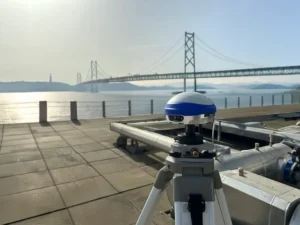
Last week was spring break (for high school and college) for my kids. We decided to drive to San Francisco and the surrounding area to do a little sightseeing. It’s a beautiful place. This is a view from our 3rd floor room in the hotel, looking over the bay.

Of course, while traveling, I usually manage to work in some GNSS activities.
The first stop was Autodesk, the makers of AutoCAD and other engineering, design and visualization software in downtown San Francisco. AutoCAD occupies 100,000+ square feet at One Market St. in downtown San Francisco and another 20,000+ square feet at Pier 9 right on the Bay. How anyone gets work done with an office on a San Francisco Pier is beyond me. It’s buzzing with people and activity, including a shuttle to the famous Alcatraz Prison, which we enjoyed.
The Autodesk meeting is deserving of an article in itself, but I’ll keep it short with bullet points for the purposes of this article:
- AutoCAD 2014 includes a datum/coordinate system library for mapping/surveying users. This is new in AutoCAD.
- Infraworks (introduced last year) was built from the ground up with a new workflow for engineers and planners (and surveyors). Most people have never heard of it. It can do things that AutoCAD can’t, such as managing surveying data for large-scale projects. Think BIM (Building Information Modeling).
- Model Builder (just introduced), is a tool to build quick and dirty 3D visualizations using data from Autodesk’s cloud service.
- Autodesk 123. This is a really cool free app you can use to create 3D models using your own images. The images can come from smartphone pictures or images you already have. It’s a really cool app.
- AutoCAD 360 (formerly AutoCAD WS). First of all, any Autodesk product with 360 in the name is a cloud app, whether it’s mobile or desktop. I’ll focus on the mobile apps. There are two AutoCAD 360 mobile apps: one for Android and one for iOS. The mobile apps are free tools that allow you to take AutoCAD drawings in the field. There are also Pro versions available on a subscription basis.
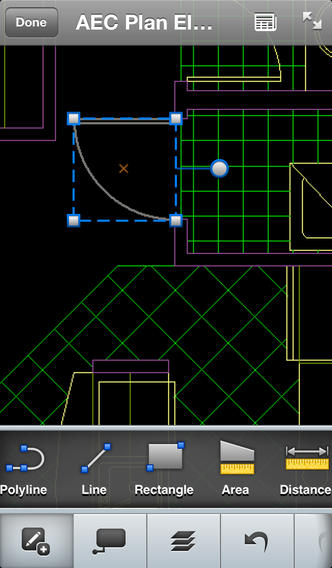
Last week, I had a chance to use AutoCAD 360 in the field with RTK. It was a last-minute exercise that I hadn’t planned on, so my expectations were set so that even if I couldn’t get it to work, at least it would be a solid learning experience.
The goal was to receive 1-2 cm RTK GNSS positions on an Android smartphone running AutoCAD 360 using a public (free) RTK base station. I knew I could access the free RTK base via PBO real-time streaming because I’ve done that before. However, I didn’t know, or have experience in two areas:
- Accessing RTK base data via NTRIP on an Android device.
- The ability of AutoCAD 360 mobile app to consume GPS data.
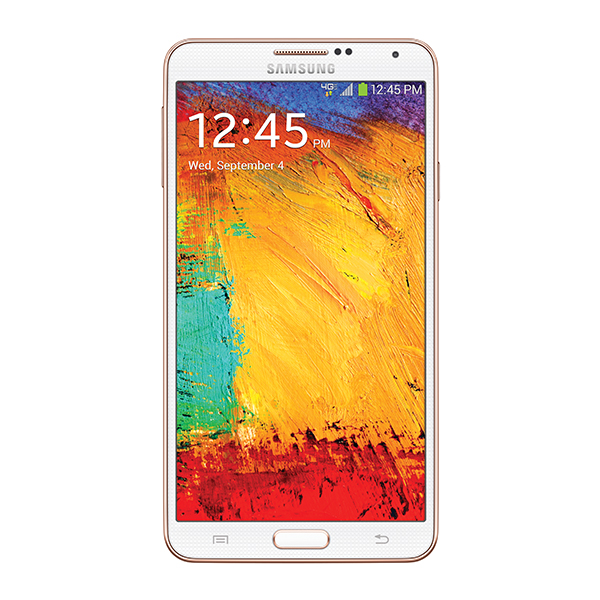
For the Android device, we used a Samsung Galaxy Note. It’s a smartphone, but also a tablet with a 5.7-inch color touchscreen.
The first challenge was the Android utility software needed to access the RTK base. NTRIP (Networked Transport of RTCM via Internet Protocol). As I’ve written in previous articles, there are lots of free RTK base stations (330+) in California. To access them, all you need is internet connectivity and an NTRIP program to manage the connection to the RTK base. For Windows and Windows Mobile, there are several free NTRIP software programs. For Android, it’s limited (but growing). I found a free Android NTRIP utility on the Google Play store. It’s very easy to install and set up. If you have your RTK base credentials (IP address, port#, login, password), if you have a Bluetooth RTK receiver, you can install the program and be running RTK within a few minutes.
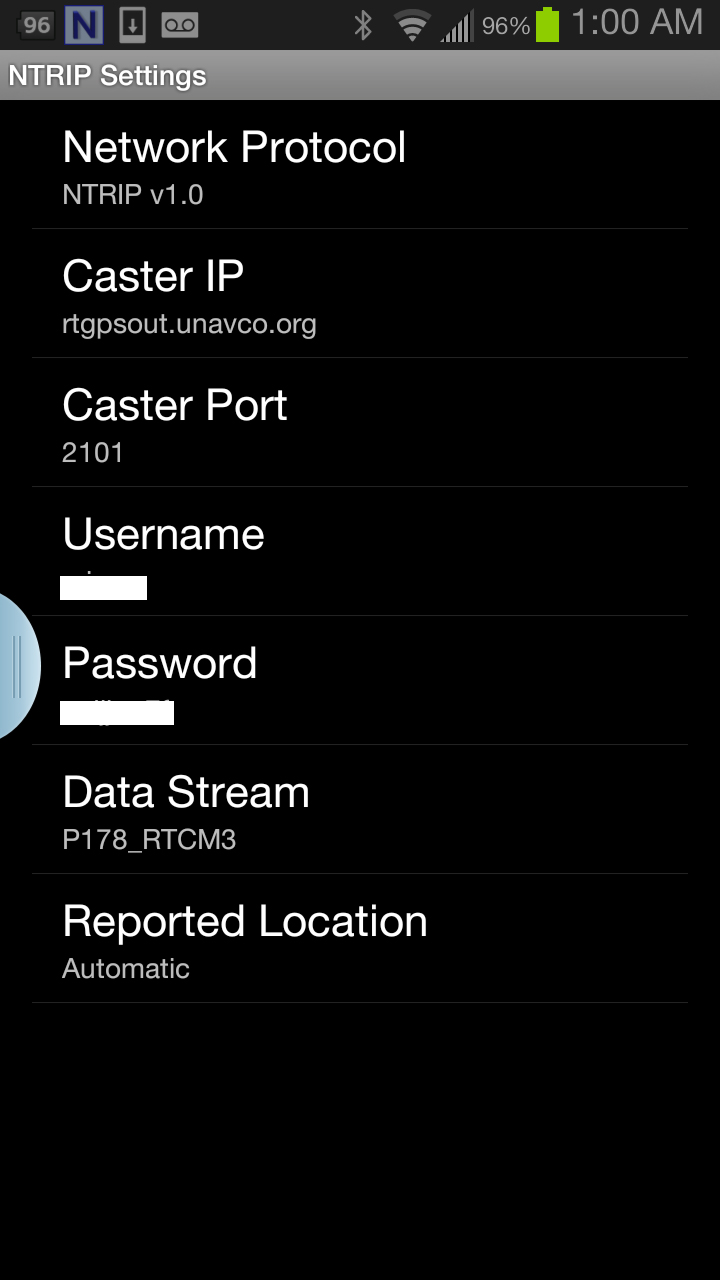
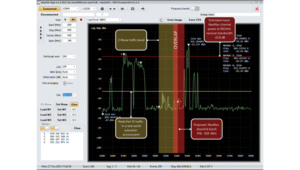
Once I entered the RTK login credentials, I was presented with a list of RTK bases. The list of PBO RTK bases are all single-baseline RTK bases (not networked) so I needed to select the closest one to the project site. In this case, it was P178 (see the screen shot above). It was about five miles from the project site. At this point, I can see the RTK base data streaming on the Samsung Note tablet. I didn’t mention before, but I had already Bluetoothed the Samsung to a small RTK GNSS receiver. Once the RTK base data starts streaming, the RTK GNSS receiver goes into FLOAT mode and heading for FIX (1-2cm precision).
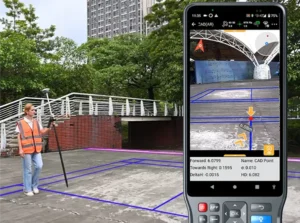
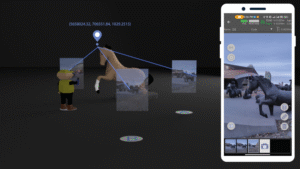
At that point, we (I wasn’t operating AutoCAD 360 on the Samsung) started AutoCAD 360 on the Samsung Note tablet and loaded a drawing that we’d planned to use. Following are a couple of screen shots from our exercise.
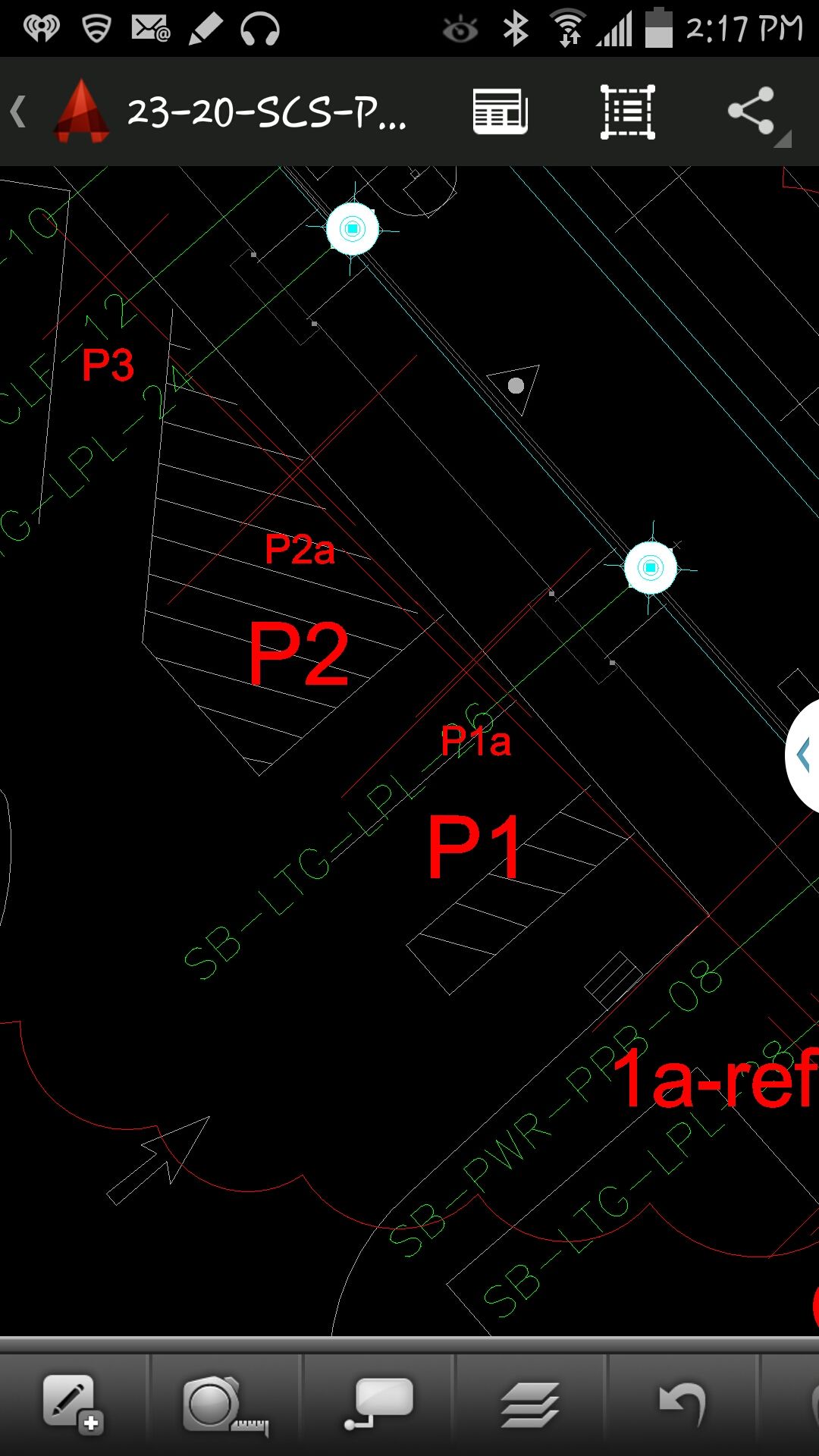
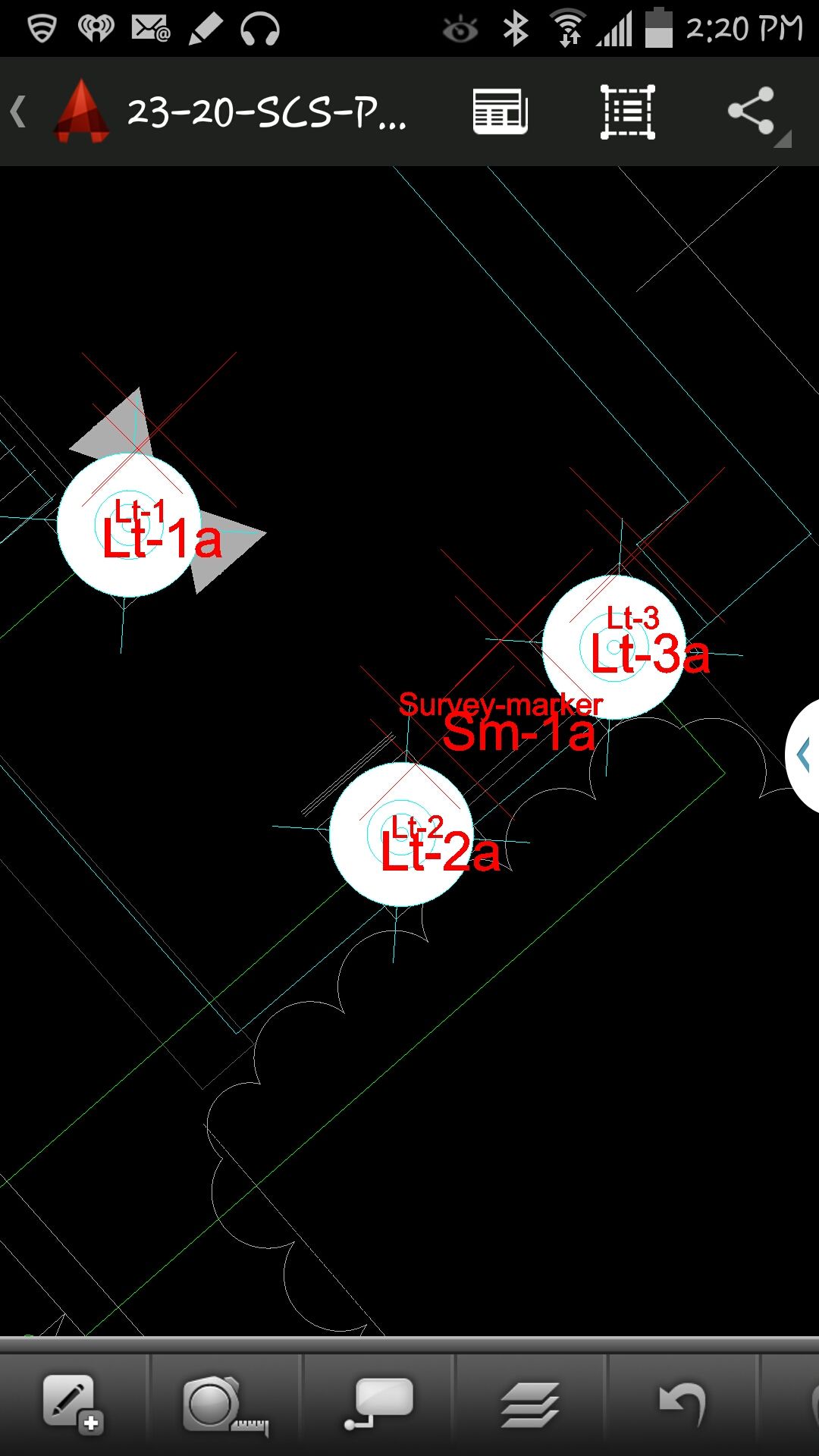
It took a minute to figure out how to”turn on” GPS in AutoCAD 360 (we were all newbies), but once we did, our position showed up on the drawing where we expected it. By this time, we were getting an RTK FIX position from the RTK GNSS receiver. We were getting 1-2 cm precision in a native AutoCAD drawing, in real-time, in the field, on an Android smartphone. I was impressed.
We were ready to start our accuracy testing. Our accuracy testing consisted of two parts:
1. To test precision, take RTK shots on two points and measure the distance between the two with a tape measure. We did this several times.
The results were as follows:
- P1 – P2. Measured distance: 20′ 9.75″. RTK distance: 20′ 9.0″.
- P2 – P3. Measured distance: 21′ 11.5″. RTK distance: 21′ 11.75″
- P1, P2, P3 were about 12 feet east of a 18-20 foot high concrete wall.
- B1-1 – B1-2. Measured distance: 6′ 3.0″. RTK distance: 6′ 2.25″.
- B1-1 and B1-2 were 15-18 feet from the 18-20 foot high concrete wall.
- Lt-1 – Lt-2. Measured distance: 12′ 2.0″. RTK distance: 12′ 3.0″
- Lt-1 and Lt-2 were on top of a platform with no substantial obstructions.
Lastly, we took a shot underneath a platform with greater than 50% of the skyview obstructed. It didn’t hold RTK in that environment and I didn’t expect it to. The precision was 5 feet (DGPS).
2. The second test was to test accuracy by taking an RTK shot on a survey marker that had published State Plane Coordinates in NAD83/2007 epoch 2007.0
After recording an RTK FIX shot on the marker (albeit I was holding the antenna so I expected a little slop), we compared our result to the survey marker coordinates. Not good…3.0 feet difference.
My first suspicion was that the RTK base was referenced to ITRF, so there would be significant difference between the two coordinate values. No dice. I adjusted the RTK GNSS coordinate to NAD83/2007 (2007.0) assuming it was referenced to ITRF08. The adjusted coordinate was further than the original (6.95 feet). That wasn’t the problem.
My second thought was to double-check what the PBO folks used for a reference position for there RTK bases. They confirmed ITRF08 current epoch. However, after talking to a few people familiar with PBO sites (RTK Network operator and Mark Silver), they suggested to run an OPUS solution on the PBO RTK base and compare it to the reference coordinate being used by the PBO RTK base. Sure enough, there’s a 6.40 feet difference between the 24 hour OPUS ITRF08 coordinate and the ITRF08 reference coordinate being used by the P178 RTK base.
It still doesn’t reconcile the difference we saw between the RTK GNSS coordinate and the survey mark, but I’m still trying to confirm which epoch date the PBO RTK base is using. In California, tectonic plate movement is significant. In that area, the ground is moving 1.7 cm north and 3.4 cm west each year, so the epoch date of the coordinate is significant, especially if the epoch date is 1997.0 or 2002.0. However, that doesn’t prevent you from using RTK Bases like P178 and “localizing” to NAD83/2007 or whichever datum your data is referenced to.
Thanks, and see you next time.
Follow me on Twitter at https://twitter.com/GPSGIS_Eric










Michael Sanchez
Did you compare vertical datum?
Eric Gakstatter
Hi Mike,
No, we didn’t look at vertical accuracy or precision during this exercise. I’ll do that soon when I run some tests at my office.
Eric
Robert Greene
Eric
Do you know of any “public (free) RTK base station” in my state of Washington?
Eric Gakstatter
Yes, PBO has many in Washington, especially in western Washington. This is the website.
http://pbo.unavco.org/data/gps/realtime
Sign up for a free account by sending an email to rtgps@unavco.org
Remember, beware of the reference datum/coordinate they use. You can test it easily on a survey mark from the NGS database. Worst case, you’ll have to “localize” on your project by occupying a few points.
Jim Miller
Have you tried it using the internal gps? I need something a bit less a full RTK rig to do some crop area measurements and a meter would adequate. Cool app!
Going to try it after things settle a bit.
Jim Miller PLS
Eric Gakstatter
I didn’t try it with the internal GNSS chip in the Samsung. The best you’ll get is a few meters (not one meter) using that chip. That’s ok for navigating to a location, but not good enough for mapping a location…at least at the level we were mapping. You’re not going to get one meter (95% confidence) using a GNSS chipset in a smartphone. The antennas suck.
Jim Miller
That’s what I thought. I wish I could find a cheap dual-channel (I know-oxymoron) that could get me around a meter without having to come out with the Sokkia. I need it to measure areas of damage to crops and a meter would be a great improvement of what is being used now. Now if you’d like to explain that about the cell phones to my clients! I’ve offered to teach a class to real estate people but nobody is interested.
al nellaw
Check this out, saw it on kickstarter a while back.
http://store.swift-nav.com/s.nl/it.A/id.4230/.f
Bob Cunningham
The Swift LodeStar costs $2500. The SkyTraq NavSpark NS-RAW device I linked to an earlier comment costs $25, 1% of the LodeStar. You read that right: One Percent of the cost.
No, it does not include Bluetooth, but I would not be surprised if that module is soon included in many other systems.
Seshagiri
GREAT.
I had tried to locate myself on a known point using the internal GPS of the iPad over AutoCAD 360. I was off by several Kilometres!!I raised this issue to AutoDESK then (some nine months ago). They said they would revert to me, but have not so far.
I will try this out with some of my friends here in UAE.
Many Thanks.
Eric Gakstatter
I should clarify that my experiment was using an external (Bluetooth) GNSS RTK receiver, not the internal GNSS chip in the Samsung Note. With regards to your iPad, several kilometers isn’t reasonable. The internal GNSS chip in the iPad is is good to a few meters. I’m guessing it was your DWG reference file.
Seshagiri
Thanks.
Yes, I will do this with an external Trimble R10 or lower versions. I will let you know the results.
I had made all adjustments in the AutoCAD file. I had published it on Google Earth to ensure myself. Issue was not with the AutoCAD file. Also, on Google Map, in the field, the position was nearly correct!! My Garmin GPS was reporting the coordinates correct. It was therefore my conclusion that it was the AutoCAD WS (360) that was at fault. I think I was right.
Eric Gakstatter
Ok, I see. Let me know how it goes. If you still have trouble, I can try to connect you with someone at Autodesk.
Bob Cunningham
I will soon receive two of the amazingly inexpensive SkyTraq “NS-RAW” devices from this Indiegogo campaigh (https://www.indiegogo.com/projects/navspark-arduino-compatible-with-gps-gnss-receiver/x/6154922).
Any thoughts on how best to start with RTK? I suppose my first need will be to evaluate the limits and precision of these devices using the supplied antennas.
Regards,
-BobC
Eric Gakstatter
It will be interesting to see how it performs. It looks to be an L1-only board so you won’t be able to use any of the public RTK bases and you’re baselines will have to be reasonably short. Operating environment will have to be clear-sky (eg. ag fields, etc.) because the reinitialization times will be long (at least a few minutes). What about the real-time comm link between the two?
We were doing centimeter-level positioning with consumer-type chipsets back in the 1990’s, so this concept isn’t unheard of. The difference is that this is real-time (a la RTKLIB). I don’t have any experience with RTKLIB so I can’t tell you how robust the algorithm is for L1 RTK. If you have a chance, let me know how it goes.
Bob Cunningham
I asked SkyTraq’s Oliver Huang (head of the NavSpark project) about startup/lock times, and his reply (https://www.indiegogo.com/projects/navspark-arduino-compatible-with-gps-gnss-receiver/x/6154922?c=comments) states frame-synced RTK data is output 10-12 seconds after startup.
I’ve just started investigating the use of NTRIP streams with L1-only RTK. Why do you say they are incompatible? At first glance, RTKLIB (http://www.rtklib.com/) seems fully up to the task.
As for the comm link, my tests will use another inexpensive crowd-funded device, Colorado Microsystem’s RadioBlock, which provides 1km line-of-sight range. I’ve selected this device because weight is an issue: I’ll be doing 4D testing (static 3D + dynamic motion in time) using a quadcopter.
Eric Gakstatter
If it supports RTCM3 format, you can access the public RTK bases I mention. The challenge with L1 RTK is two-fold:
1. Distance from base is limited (generally less than 10km)
2. Initialization time is longer (than L1/L2).
If you have your RTK base setup locally (with respect to the UAV), that would be the best opportunity for it to work. I think public RTK bases will be too far away to use.
Antenna quality may be an issue.
Bob Cunningham
I’m NTRIPing the night away, now awaiting my boards.
Do you know if any work has been done to combine multiple NTRIP streams to derive a “synthetic” stream at a desired location?
I’d love to have an NTRIP stream co-located with the phase center of my antenna, so I can detect and reject error sources common to all antennas, and focus on specific NS-RAW performance issues (if any).
Eric Gakstatter
If you’re using an RTK Network and you’re choosing the right mount point, that’s already being done (optimized solution from multiple RTK bases). If you’re just using a single baseline solution (single RTK base), I don’t know of a way to combine RTCM3 streams from different sources.
I don’t understand your last sentence. The solution (coordinate) you are provided from the receiver is based on the phase center of the antenna you are using. The challenge is that the phase center of the antenna you are using has not likely been characterized (eg. you don’t know where it is). You can some idea of the antenna characteristics by rotating the antenna 90 degrees while you have a FIXed solution and observe. That’s a quick and dirty method (eg. not scientific).
Brian Huggett
Hi Eric,
Great article! Already discussed it in class.
Were you using the same GNSS antenna you used in Colorado? What was your external antenna?
I feel like I could use a block diagram for the components: raw GNSS from the receiver to your phone: NTRIP differentially corrects the raw on your phone and then feeds to AutoCAD. Is that right?
Thanks again!
Eric Gakstatter
Yes, the same receiver and antenna I used in Colorado last year. I wish I had a software that would easily let me create a block diagram. That would be a great addition to the article.
RTK base data via internet to the Samsung Note (3G)
Samsung Note sends RTK base data to GNSS receiver via Bluetooth (and NTRIP utility on Samsung).
GNSS receiver consumes RTK base data, generates an RTK-corrected coordinate and sends it back to Samsung Note (via Bluetooth).
AutoCAD 360 on the Samsung Note consumes the RTK-corrected coordinate.
Hope that makes sense.
Seshagiri
I tried and encountered a few probs.
This is how it went:
03.01:34 Service Started
03.01:34 Device R10 xxxxxxxx
03.01:34 Trying to connect
03.01:36 Bluetooth Device Connected
03.01:37 NTRIP: Waiting for GGA from receiver.
Everytime I tried to reconnect a message appeared briefly and vanished:
GPS mock locations are not enabled
you can change this under Settings>Application>Development>Allow mock locations.
I could not really find this path in Samsung S3 and S4. I do not know if this feature is particularly not available in Middle East?
I downloaded a “mock GPS Pro” App from Play Store. Set the mock Locations to checked.
Did not succeed in getting through.
Could you please guide me further.
Thanks.
Eric Gakstatter
On my Samsung Galaxy S3, I go to Settings/Developer Options and I can enable Allow Mock Location.
Seshagiri
I did it with help from the local Samsung Tech Support. The path was slightly different though.
One last obstacle remains. The GGA.
I set the receiver output to NMEA and tried GGA at 2Hz and 10Hz. No success.
Eric Gakstatter
Which RTK base are you tieing into? How far away is it from you?
Seshagiri
This is a province wide Virtual Reference Station set up by the local government.It is supposed to offer me corrections from the base station nearest to me.
Rafael Sierra
Estoy en la misma honda que uds. porque ando buscando justamente los dispositivos para llegar a lo que uds están haciendo, encontrándome con este articulo muy interesante y por supuesto, ansioso de conocer mas acerca de poder hacer lo mismo pero en Venezuela. Ahora, cuales son las herramientas básicas para empezar con buen pie para obtener los primeros resultados, de acuerdo a su experiencia, donde obtener los equipos básicos para una persona no sean muy generosos (costosos).-
Att. Geogº Rafael Sierra
Gracias
Eric Gakstatter
¿Es dueño de un receptor GPS? Si es así, qué marca? ¿Qué software collecion de datos que usted posee?
Jason
Hi Eric,
Great Article. I am trying to use the NTRIP client discussed in your article and I am having trouble getting it to work. Is there any documentation for receiver settings?
I am using a Sokkia GRX1 with a Samsung S4
This is as far as I get
10.54:34 Service Started
10.54:34 GPS-31
10.54:34 Trying to connect
10.54:36 Bluetooth Device Connected
10.54:37 NTRIP: Waiting for GGA from receiver.
Thanks
Eric Gakstatter
Which RTK base are you trying to connect to? How far is it from you?
Is your GRX1 L1 or L1/L2?
Seshagiri
The external GPS is L1/L2.
The corrections are supplied, Real Time, by Countrywide Virtual Reference Station Network established by the local Government.
When I get the message “waiting for GGA from receiver” I suppose the settings in my Receiver that needs to be addressed. Right?
Eric Gakstatter
Is the GGA message set to output on the Bluetooth port of the receiver?
Seshagiri
Yes, Bluetooth 1. I have three choices Viz Bluetooth 1, 2 and 3. It shows highlighted in Green on the Web UI.
Eric Gakstatter
On the mobile device, have you Enabled Mock Location? On my Samsung Galaxy S3, I go to Setup/Developer Options and enable Allow Mock Location.
Which mount point are you using for the RTK Network (RTCM3, CMR, etc.)?
Fernando M
Hi Eric,
Very nice article and useful application. I would like to test it with some kind of NTRIP app for iOS devices. Do you know of any that may work on an iPhone or iPad?
Thanks.
Saludos,
Fernando
aisha
i have a HTC smart phone and i half office work do in my mobile that make me more comfortable and easy , so when i come back the spend him couple of hours.
nice to you , you solve my problem a
you article is so good , really appreciate to that article